Fixing NVIDIA Graphics Card Detection on Ubuntu 22.04
Installing the nvidia driver (graphics card) after installing ubuntu 22.04
- If a graphics card detection error occurs after installing and booting ubuntu 22.04, connect the Display Port (or HDMI) cable at the back of the PC to the motherboard instead of the graphics card and reboot. Then open a terminal and search for a driver suitable for the graphics card.
sudo ubuntu-drivers devices
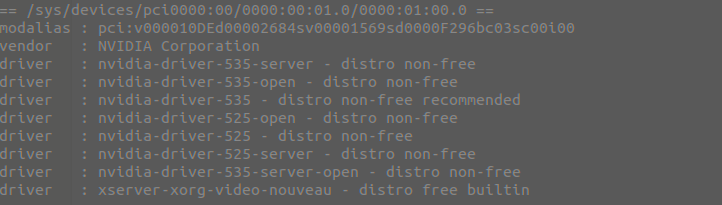
Install the recommended driver from the list.
sudo apt install nvidia-driver-{number}
Confirm that the nvidia driver installation has completed.
nvidia-smi
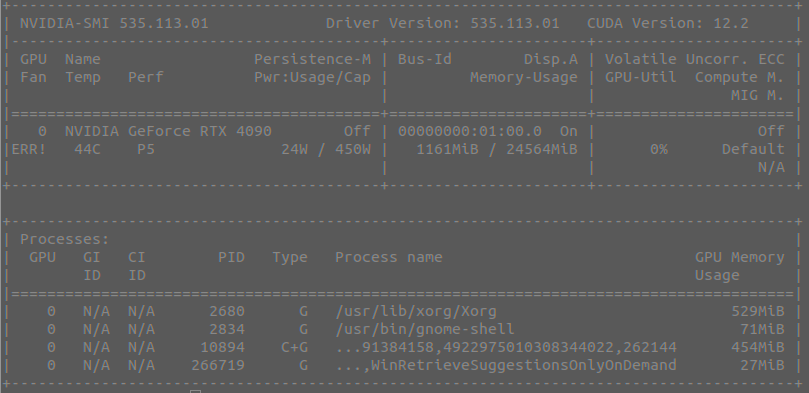
If everything went correctly, the nvidia driver is now installed and the display can be checked by connecting the HDMI cable to the graphics card.