Gazebo Hands-on: TurtleBot3 + 3D LiDAR
Gazebo Hands-on
- Load a robot consisting of turtlebot3_burger and a 3D LiDAR (Velodyne) into the Gazebo environment, check the LiDAR data, and perform simple teleoperation.
- Along with the Gazebo exercise, a brief run of rviz and a look at the tf_tree are also included.
Environment
- ROS2 (humble)
- Gazebo 11
- Turtlebot3_world
Install the Gazebo packages
sudo apt-get update

sudo apt install -y ros-humble-gazebo-ros

sudo apt install -y ros-humble-gazebo-ros-pkgs
Install the Turtlebot3_world package
The test environment is turtlebot3_world configured with turtlebot3_burger with velodyne.
https://github.com/eeoon/turtlebot3_velodyne_Gazebo
Installation
source /opt/ros/humble/setup.bash
sudo apt-get update
mkdir -p eon_ws/src
cd ~/eon_ws/src
git clone https://github.com/eeoon/turtlebot3_velodyne_Gazebo.git
cd ..
colcon build
source install/setup.bash
export TURTLEBOT3_MODEL=burger
. /usr/share/gazebo/setup.sh
Run
ros2 launch turtlebot3_gazebo turtlebot3_world.launch.py

ros2 run teleop_twist_keyboard teleop_twist_keyboard
Results
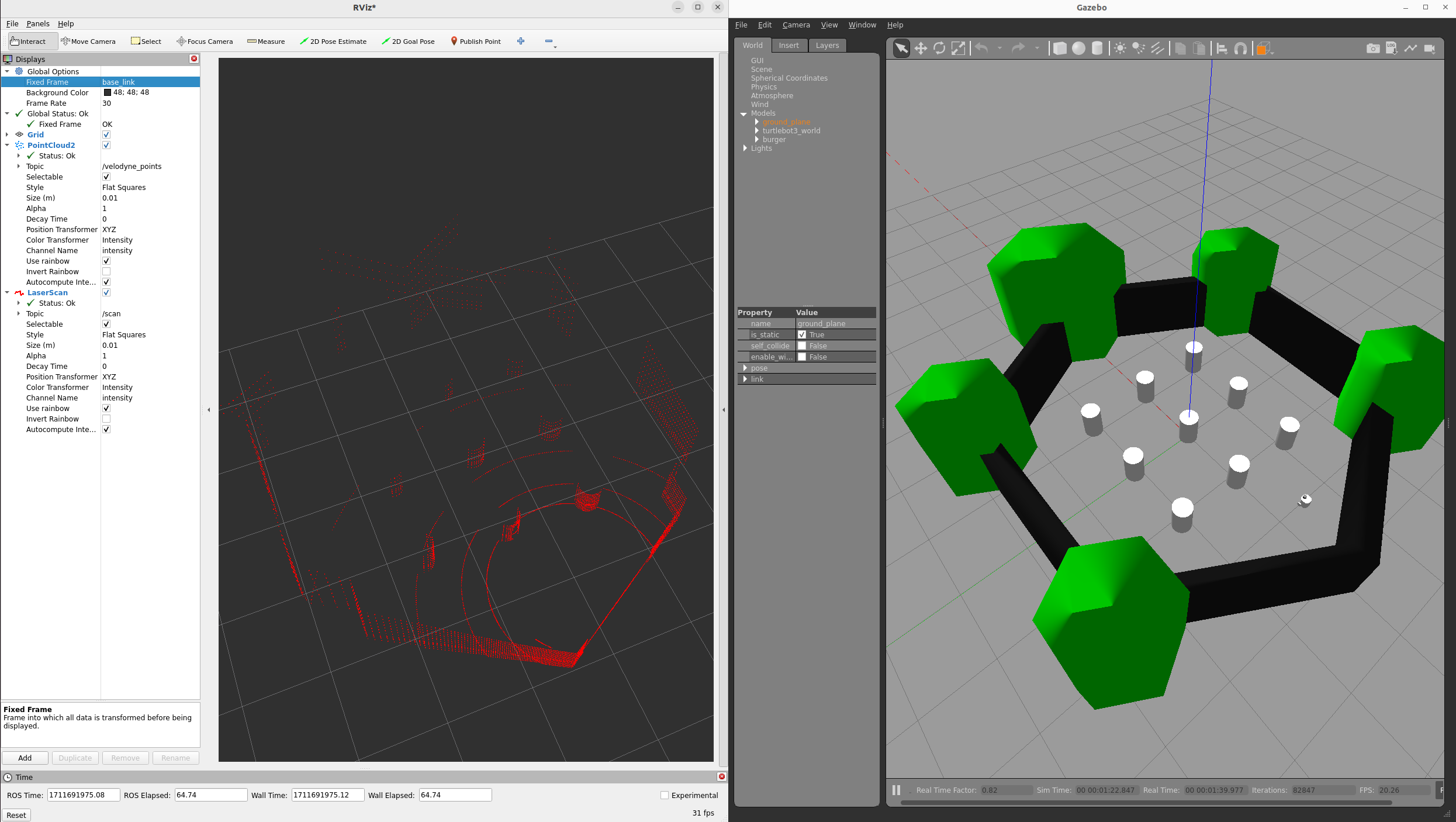
- If everything ran correctly, the following screen appears. The right-hand window is the Gazebo environment, showing Turtlebot3_burger in Turtlebot3_World with a Velodyne mounted on top.
- The left-hand window is rviz2 (rviz in ROS1). rviz2 is the standard ROS tool for visualizing data; changing
fixed_framein the upper left tobase_scanvisualizes the LiDAR data.
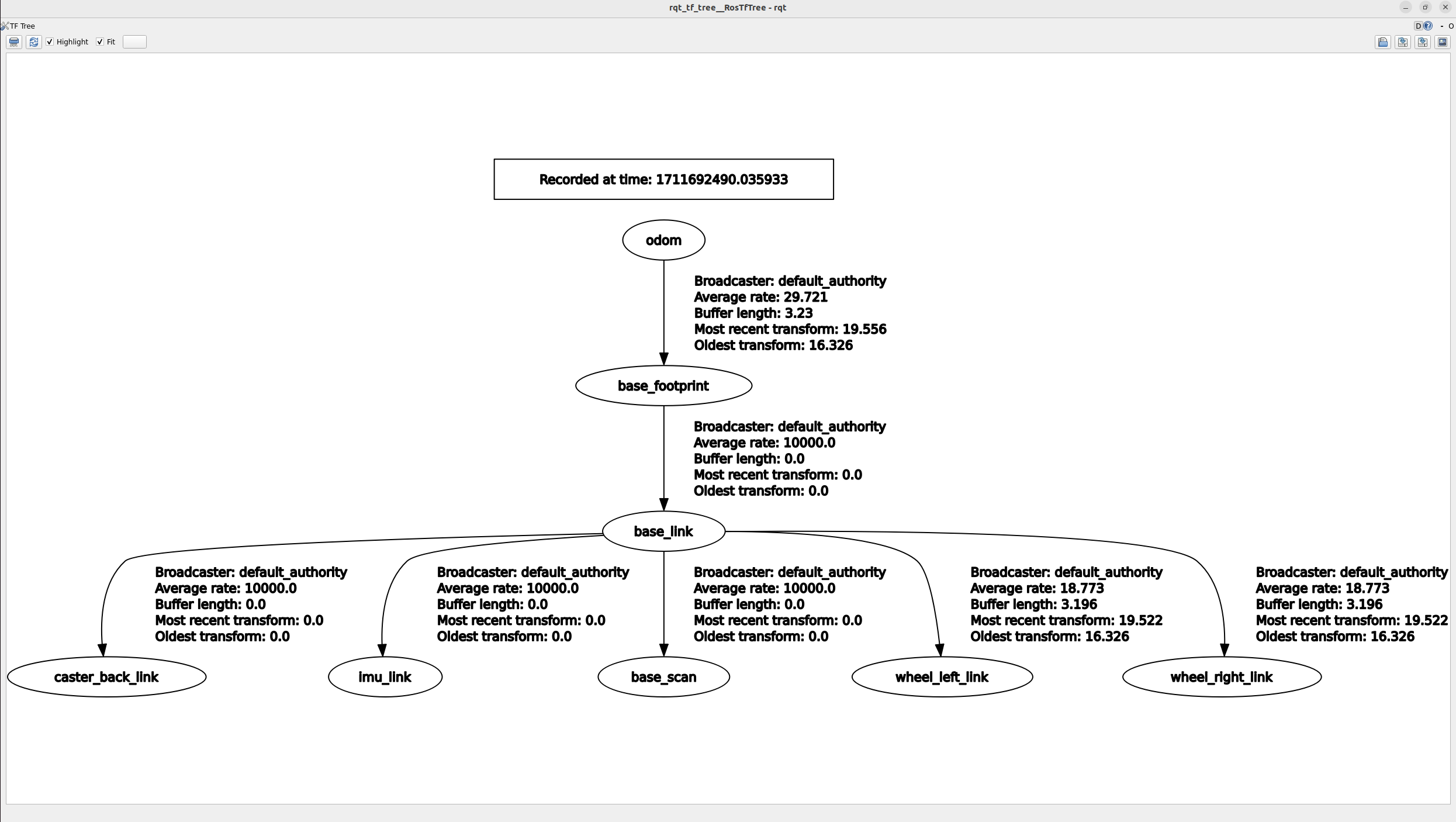
- The TF_tree looks as follows.
- It shows the robot’s link structure in a simple form and the overall structure.
- TF will be covered in a future post on Transform (TF).
Reference :